This article will explain how to upload media files such as images and videos into the S3 bucket on Amazon Web Services (AWS) in Flutter apps.
This technique provides support for both the Flutter Web and Flutter Mobile platforms (Android and iOS, respectively).
Firebase Cloud Messaging can power Flutter push notifications, but production setup needs more than a quick Android demo. This guide now frames the workflow around platform configuration, permissions, token lifecycle, routing, backend sends, and release-device testing.
With the evolution of internet and technology, online shopping on native e-commerce apps has exploded in recent years. Mobile apps have brought a deep connection between businesses and their customers. Shoppers are thrilled with using mobile apps to satisfy their shopping needs. In this article, we are listing the best features that any ecommerce mobile app should have, in order to provide the best possible user experience. If you're looking to take your business to the next level, by tapping into the huge mobile shopping market, you must build your own mobile app for shopping. You'll enable your customers to order your products from everywhere: their living room, a park, a beach, etc. You get the idea. You place your store into their pockets.
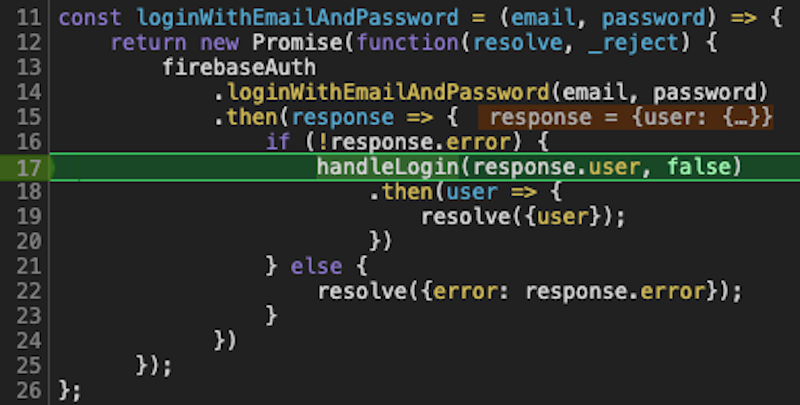
Breakpoints are still one of the fastest ways to understand a React Native bug.
The tool has changed: for modern React Native apps, start with React Native
DevTools instead of old remote Chrome debugging or standalone React Native
Debugger workflows.
In this new blog post, we are going to explore some of the best Flutter app ideas that can be built by a mobile developer who is new to Flutter and Dart.
Flutter is a popular cross-platform mobile application development framework that helps building pixel-perfect UI powered by the Dart programming language. It introduces widget-based UI development which is very easy to learn and grasp. If you already have some programming experience on techs such as Java, JavaScript or PHP, then Flutter and Dart programming will be easier to grasp.
Camera features power profile photos, social posts, chat attachments, video
feeds, marketplace listings, delivery proof photos, and dating profiles. The
modern React Native implementation needs camera permissions, microphone
permissions for video, safe previews, media validation, and an upload pipeline.
Biometric authentication can make a React Native app feel faster and safer, but
it should be designed as a local unlock step, not as a replacement for your
account system. The device verifies the enrolled fingerprint or face; your app
decides what to unlock after that verification succeeds.
Expo's expo-local-authentication package gives React Native apps access to
Face ID, Touch ID, Android Biometric Prompt, and device passcode fallback.
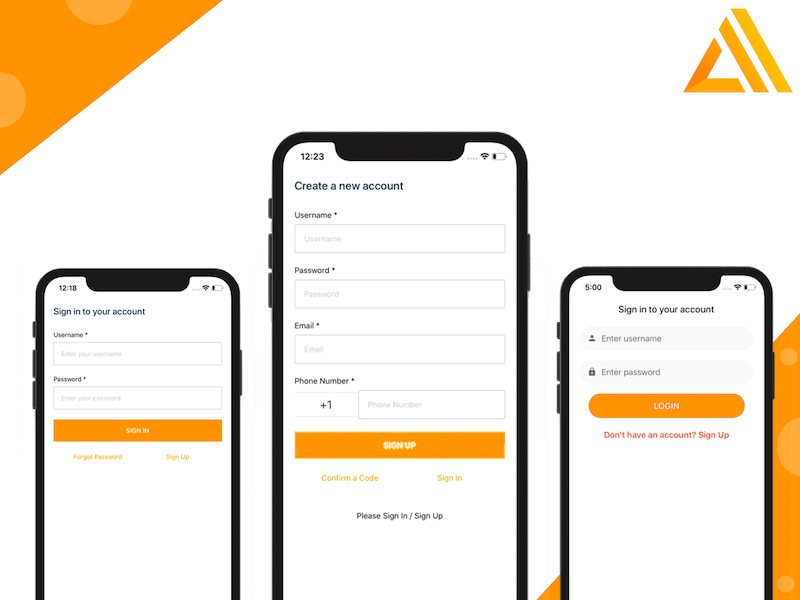
AWS Amplify is a framework that lets you develop a web or mobile application quickly, by accessing the backend cloud services offered by AWS. In this article, we are going to learn how to use AWS Amplify in React Native by building a fully functional login and registration flow. This tutorial is going to take a look at one of the most important features of a mobile application – the authentication. You know the scenario. You need to store some amount of user information (credentials) for them to get back and re-use the application rather than creating a new account. Please make sure to have an AWS account before you begin this tutorial. If you don’t, please sign up for one.
Video compression is one of the easiest ways to reduce upload time, storage
cost, and feed latency in a React Native app. It matters for social networks,
chat apps, marketplace listings, short video apps, fitness apps, and any product
that lets users upload media from the camera roll.
Firebase Storage is commonly used in React Native apps for profile photos,
posts, chat attachments, marketplace listings, restaurant images, and short
videos. The upload code is simple, but production readiness depends on rules,
file paths, billing, metadata, and cleanup.
In today’s article we will build a React Native Music Player, to showcase how easy it is to build a music app in React Native, that is optimized for both native iOS and Android. The project we are going to build will look and behave similar to the Spotify player, that all of us are familiar with. The main goal is to have a basic app with two screens: one with a list of predefined songs and another one with the actual music player.
React Native WebView lets a native app display trusted web content inside a screen. It is useful for checkout, help centers, terms, OAuth pages, and embedded dashboards, but it needs clear security boundaries and loading states.
Practical product notes
Get the next useful guide
Occasional tutorials, product resources, and lessons from building and launching software.