AI Integration With Legacy Systems and Undocumented APIs
Most businesses do not run on clean, modern, AI-friendly systems. They run on old CRMs, spreadsheets, custom databases, half-documented APIs, shared inboxes, manual approvals, and internal tools that still work well enough to be dangerous.
That does not mean AI integration is impossible. It means the integration layer matters more than the prompt. If the AI feature cannot safely read, transform, and act on legacy data, the model will create more operational mess instead of reducing it.
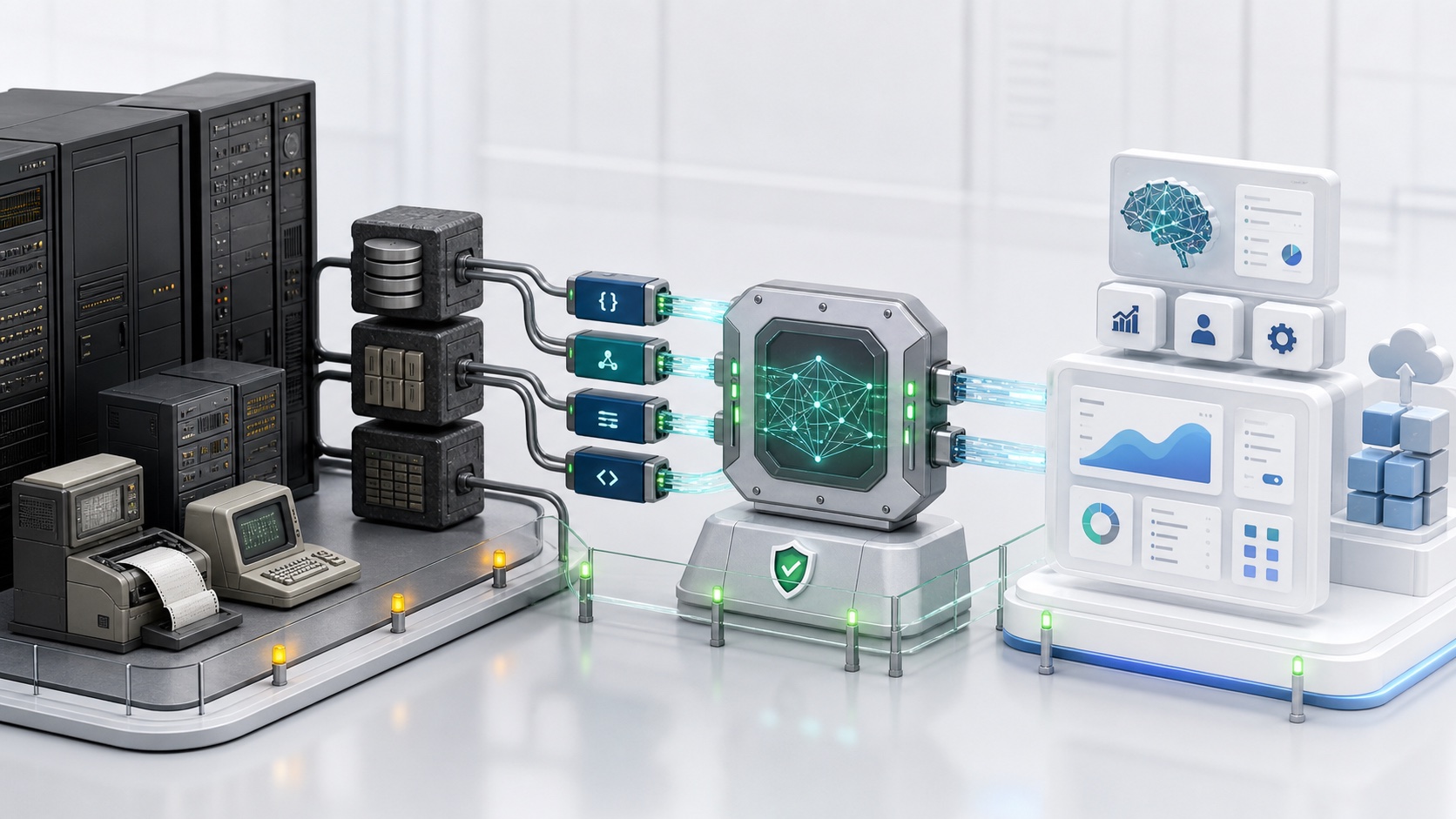
The real legacy integration problem
Legacy systems create three kinds of friction:
- technical friction, such as missing APIs, fragile schemas, slow exports, and inconsistent identifiers;
- operational friction, such as manual approvals and undocumented rules;
- security friction, such as unclear permissions and shared credentials.
An AI assistant that ignores these constraints may demo well, but it will fail in production.
Start with a workflow map
Before writing code, map the workflow the AI will support.
Ask:
- What event starts the workflow?
- Which systems are touched?
- Which human decisions happen today?
- Which data fields are required?
- Which actions are reversible?
- Which errors need escalation?
- Which system is the source of truth?
For example, an AI refund assistant may need ecommerce orders, payment state, shipping status, customer history, support notes, and policy documents. The integration job is to make those inputs reliable before the assistant drafts or executes anything.
Pattern 1: Build a wrapper API
A wrapper API creates a stable interface over unstable systems.
Use it when:
- the old system has confusing endpoints;
- field names are inconsistent;
- multiple systems must be combined;
- the AI should not call the legacy system directly;
- you need logging and permission checks.
The wrapper should expose product-level operations:
getCustomerSummary;getOrderStatus;createSupportTicket;draftRefundDecision;syncAccountEntitlements.
This keeps model prompts and app screens away from legacy implementation details.
Pattern 2: Add middleware for transformation
Middleware is useful when the old system emits data in the wrong shape.
It can:
- normalize IDs;
- convert dates and currencies;
- merge duplicate records;
- redact sensitive fields;
- enrich records with source metadata;
- route events to the right queue.
This is also a good place to add observability. When an AI output is wrong, you need to know whether retrieval failed, sync failed, the legacy API changed, or the model made a bad decision.
Pattern 3: Document the undocumented API
Many integrations fail because the business rules live in people's heads.
Create an integration notebook:
- endpoint or export name;
- owner;
- auth method;
- rate limits;
- important fields;
- known quirks;
- sample payloads;
- failure examples;
- rollback procedure.
AI can help summarize logs and draft documentation, but a human owner should verify the final contract. Treat undocumented behavior as risk until it is tested.
Pattern 4: Use fallbacks and human escalation
Legacy systems are rarely perfect. Design the AI workflow to degrade safely.
Fallback examples:
- show "needs review" when records conflict;
- queue work when an API is down;
- ask for missing fields instead of guessing;
- use cached read-only context for low-risk summaries;
- prevent irreversible actions when confidence is low;
- escalate restricted records to an approved human.
The safest AI integrations are honest about uncertainty.
Pattern 5: Separate read and write access
Reading context and taking action are different risk levels.
Start with read-only AI:
- summarize customer history;
- classify tickets;
- explain policy;
- suggest next steps;
- draft a response.
Then add controlled writes:
- create a task;
- update a status;
- send a message;
- trigger a webhook;
- issue a refund.
Every write should have scoped permissions, validation, audit logs, and rollback thinking.
Mobile and admin panel example
Imagine a field service company with a mobile app for technicians and an old scheduling system.
A practical architecture:
- Mobile app sends the technician's task ID.
- Backend checks role and tenant.
- Wrapper API fetches schedule, customer, and equipment data.
- Middleware normalizes the result.
- AI drafts the next-step summary.
- Technician confirms or edits.
- Admin panel logs the final outcome.
The AI is useful because it is embedded in the workflow, not because it has direct access to everything.
Key takeaways
- Legacy integration is a product architecture problem, not just an AI problem.
- Use wrapper APIs to hide messy systems from the model and UI.
- Normalize, redact, and log data before it enters the AI context.
- Start read-only, then add controlled writes.
- Design fallbacks before the first production incident.
FAQ
Can AI connect to systems without APIs?
Sometimes, but it is risky. Prefer exports, database replicas, approved automation, or a middleware layer. Avoid brittle screen scraping for critical workflows unless there is no safer option and the risk is accepted.
Should an AI agent call legacy APIs directly?
Usually no. Put a wrapper or backend gateway in front of legacy systems so you can enforce permissions, validation, logging, and stable contracts.
What is the safest first AI integration?
Start with read-only summaries or classification. Add write actions only after the team trusts the data, permissions, and escalation path.
Related Dopebase resources
- Custom API development and integrations
- Backend migration services
- AI integration services
- React Native REST API integration
- Dopebase Products
If you are modernizing a legacy workflow, Dopebase All Access gives you app and admin foundations, while custom development helps connect the hard systems behind your product.