Record and Play Audio in React Native

Recording and playback features need careful platform decisions before UI work begins. This React Native guide now separates Expo Audio, bare React Native packages, permissions, file storage, cleanup, and product rules for voice notes or media workflows.
Quick Answer
For Expo and Expo modules apps, start with expo-audio for playback and recording. For bare React Native apps, choose a maintained native audio package only after confirming permissions, background behavior, file storage, and platform audio-session requirements.
Audio features become product infrastructure quickly: voice notes need upload retries, file retention, consent copy, moderation, waveform/progress state, and cleanup when users delete content.
Audio Checklist
- Request microphone permission only when recording is needed.
- Store recordings where the app can manage retention and deletion.
- Stop, unload, or release recorders and players on navigation changes.
- Test interruptions, Bluetooth changes, screen lock, and app backgrounding.
- Avoid recording sensitive audio without clear consent and retention rules.
Production Guidance: Pick the Audio Stack Before Writing UI
Audio recording is no longer just a component problem. Decide first whether the app is Expo-managed, bare React Native, or a hybrid development build. Expo apps should evaluate the current expo-audio APIs, while bare apps need native permission handling, background-mode decisions, file storage, and platform-specific audio-session behavior.
For MVPs, keep the scope small: record, show duration, save the file URI, play it back, and clean up resources when the screen unmounts. For production voice notes, add upload retries, waveform or progress state, server-side file limits, moderation rules, and privacy copy.
Production checklist
- Ask for microphone permission at the moment it is needed, not on first launch.
- Store recordings in a location your app can manage and delete.
- Stop and unload recorders/players on navigation changes.
- Test interruptions: phone call, Bluetooth disconnect, screen lock, app backgrounding.
- Avoid recording sensitive audio without clear consent and retention rules.
The final app will look like the image below.
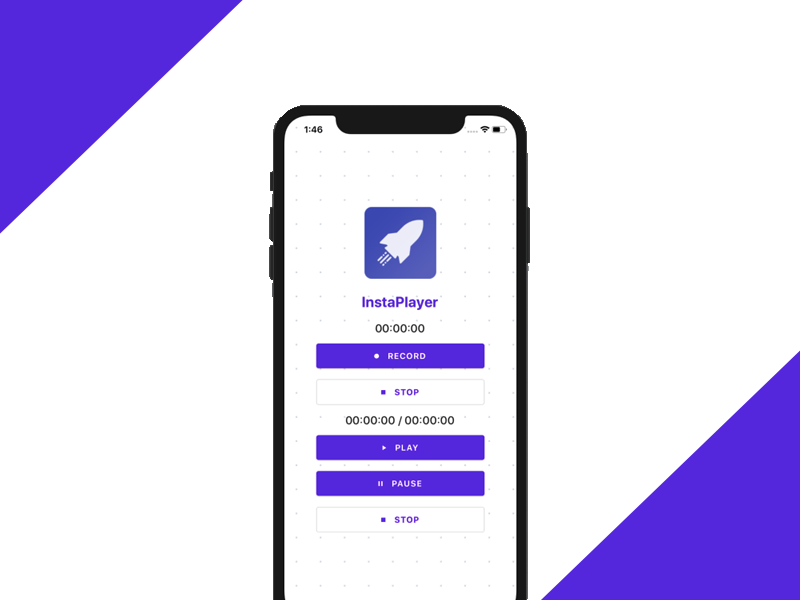
Recording and playing audio in mobile applications is a very popular feature. For Expo and Expo-modules projects, start by evaluating expo-audio. For bare React Native apps, choose a maintained native package only after checking permissions, background behavior, and file storage requirements. The older package walkthrough below is useful as a concept, but teams should verify package health before adopting any audio dependency.
Prerequisites
In order to go through this tutorial, first prepare a React Native development environment and confirm that a simple app runs on a device. Use the React Native setup guide if you are starting from a fresh machine.
Installing and Setting Up the Package
First, we need to install the react-native-audio-recorder-player package using yarn or npm. I prefer using yarn so I am going to use yarn and run the following command in the project Terminal:
yarn add react-native-audio-recorder-player
Then, we need to run the following command in order to run the app in the iOS device or simulator (simply replace ios with android if you are running on Android)
react-native run-ios
Preparing the Audio Recorder Component
Here, we start by importing the necessary methods from the react-native-audio-recorder-player package as shown in the code snippet below:
import AudioRecorderPlayer, {
  AVEncoderAudioQualityIOSType,
  AVEncodingOption,
  AudioEncoderAndroidType,
  AudioSet,
  AudioSourceAndroidType,
} from "react-native-audio-recorder-player";
Then, we need to create a few new states and also initialize a new recorder instance as depicted in the code snippet below:
class App extends Component {
  constructor(props) {
    super(props);
    this.state = {
      isLoggingIn: false,
      recordSecs: 0,
      recordTime: '00:00:00',
      currentPositionSec: 0,
      currentDurationSec: 0,
      playTime: '00:00:00',
      duration: '00:00:00',
    };
    this.audioRecorderPlayer = new AudioRecorderPlayer();
    this.audioRecorderPlayer.setSubscriptionDuration(0.09); // optional. Default is 0.1
  }
Preparing the UI
For the UI implementation, we are going to use components of the react-native-paper package. We already have an idea of how an audio player and recorder should look like. Hence, we can easily implement it on our screen. For a simple UI layout for the app, we can use the code from the following code snippet:
return (
  <Card
    style={{
      flex: 1,
      flexDirection: "row",
      alignItems: "center",
      alignContent: "center",
      alignSelf: "center",
    }}
  >
    <Background>
      <Logo />
      <Header>InstaPlayer</Header>
      <Title>{this.state.recordTime}</Title>
      <Button
        mode="contained"
        icon="record"
        onPress={() => this.onStartRecord()}
      >
        RECORD
      </Button>
      <Button icon="stop" mode="outlined" onPress={() => this.onStopRecord()}>
        STOP
      </Button>
      <Divider />
      <Title>
        {this.state.playTime} / {this.state.duration}
      </Title>
      <Button mode="contained" icon="play" onPress={() => this.onStartPlay()}>
        PLAY
      </Button>
      <Button icon="pause" mode="contained" onPress={() => this.onPausePlay()}>
        PAUSE
      </Button>
      <Button icon="stop" mode="outlined" onPress={() => this.onStopPlay()}>
        STOP
      </Button>
    </Background>
  </Card>
);
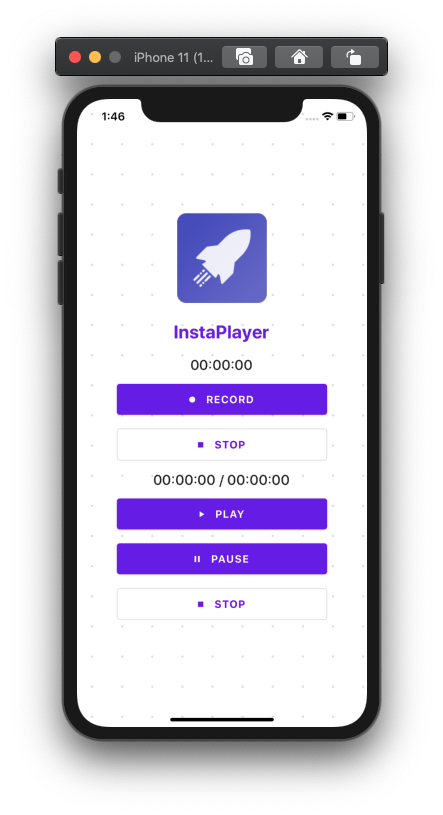
Hence, we will get an audio recorder and an audio player on the same screen as displayed in the simulator screenshot below:
Now, it is time to implement the functions for each button on the screen.
Record Audio in React Native
The first thing we need to do in any recording app is to implement the recording feature. The actual implementation is fairly simple for this. We need to follow these simple steps:
-
Firstly, we start by defining an audio file name and extension.
-
Secondly, we define the audio format preference.
-
Lastly, we start to record audio and add a record time to the state.
The implementation for this is provided in the code snippet below:
onStartRecord = async () => {
  const path = "hello.m4a";
  const audioSet = {
    AudioEncoderAndroid: AudioEncoderAndroidType.AAC,
    AudioSourceAndroid: AudioSourceAndroidType.MIC,
    AVEncoderAudioQualityKeyIOS: AVEncoderAudioQualityIOSType.high,
    AVNumberOfChannelsKeyIOS: 2,
    AVFormatIDKeyIOS: AVEncodingOption.aac,
  };
  console.log("audioSet", audioSet);
  const uri = await this.audioRecorderPlayer.startRecorder(path, audioSet);
  this.audioRecorderPlayer.addRecordBackListener((e) => {
    this.setState({
      recordSecs: e.current_position,
      recordTime: this.audioRecorderPlayer.mmssss(
        Math.floor(e.current_position)
      ),
    });
  });
  console.log(`uri: ${uri}`);
};
Hence, we will get the result as shown in the demo screenshot of the emulator below (simply press the Record button):
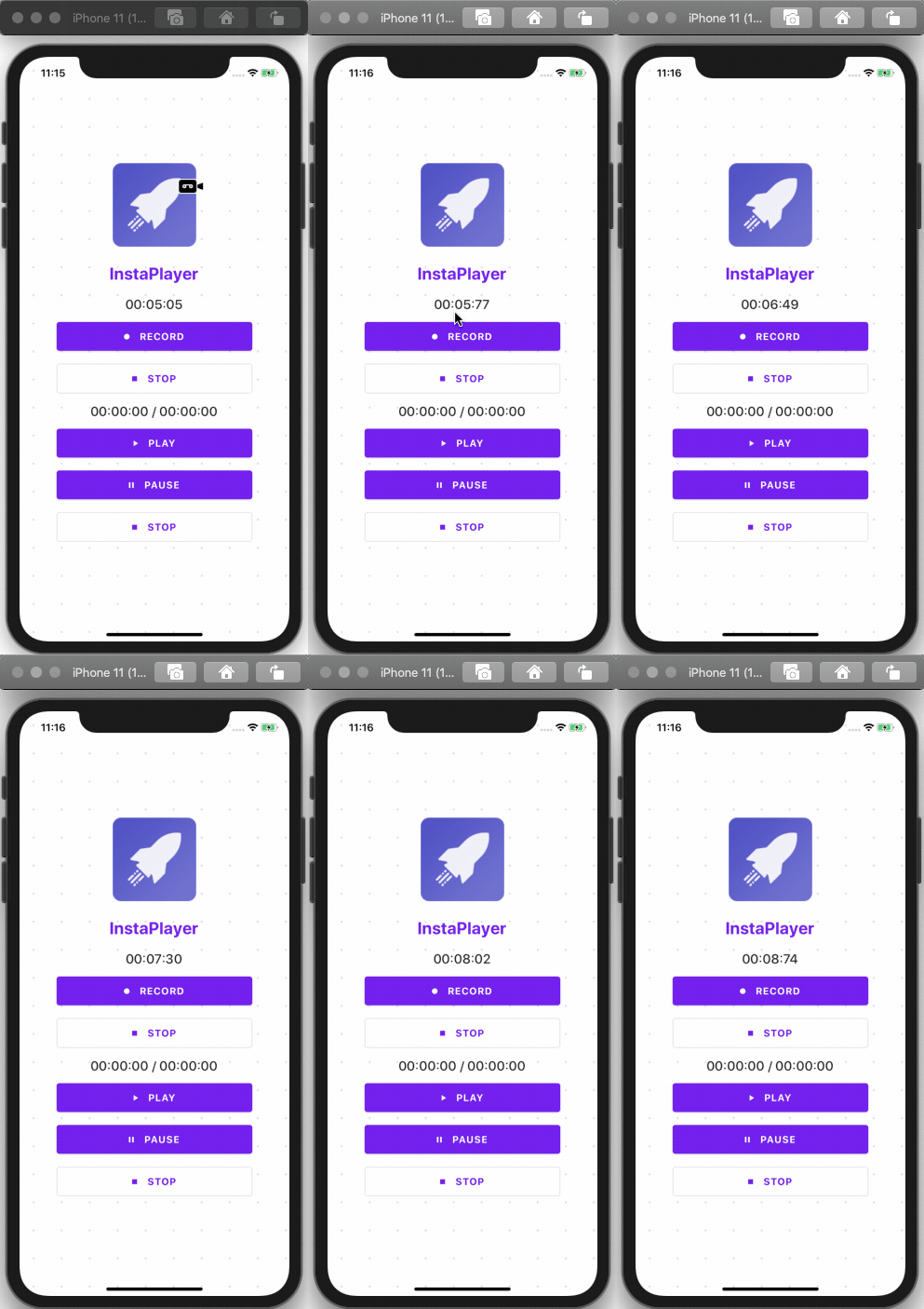
Here, we can see that the timer starts as we tap on the RECORD button.
Stopping Audio Recording
The stop recording feature is easy to implement as well. We just need to call the stopRecorder method and reset the time counter back to zero using the code from the following code snippet:
onStopRecord = async () => {
  const result = await this.audioRecorderPlayer.stopRecorder();
  this.audioRecorderPlayer.removeRecordBackListener();
  this.setState({
    recordSecs: 0,
  });
  console.log(result);
};
As you can notice we get the result as shown in the demo screenshot below:
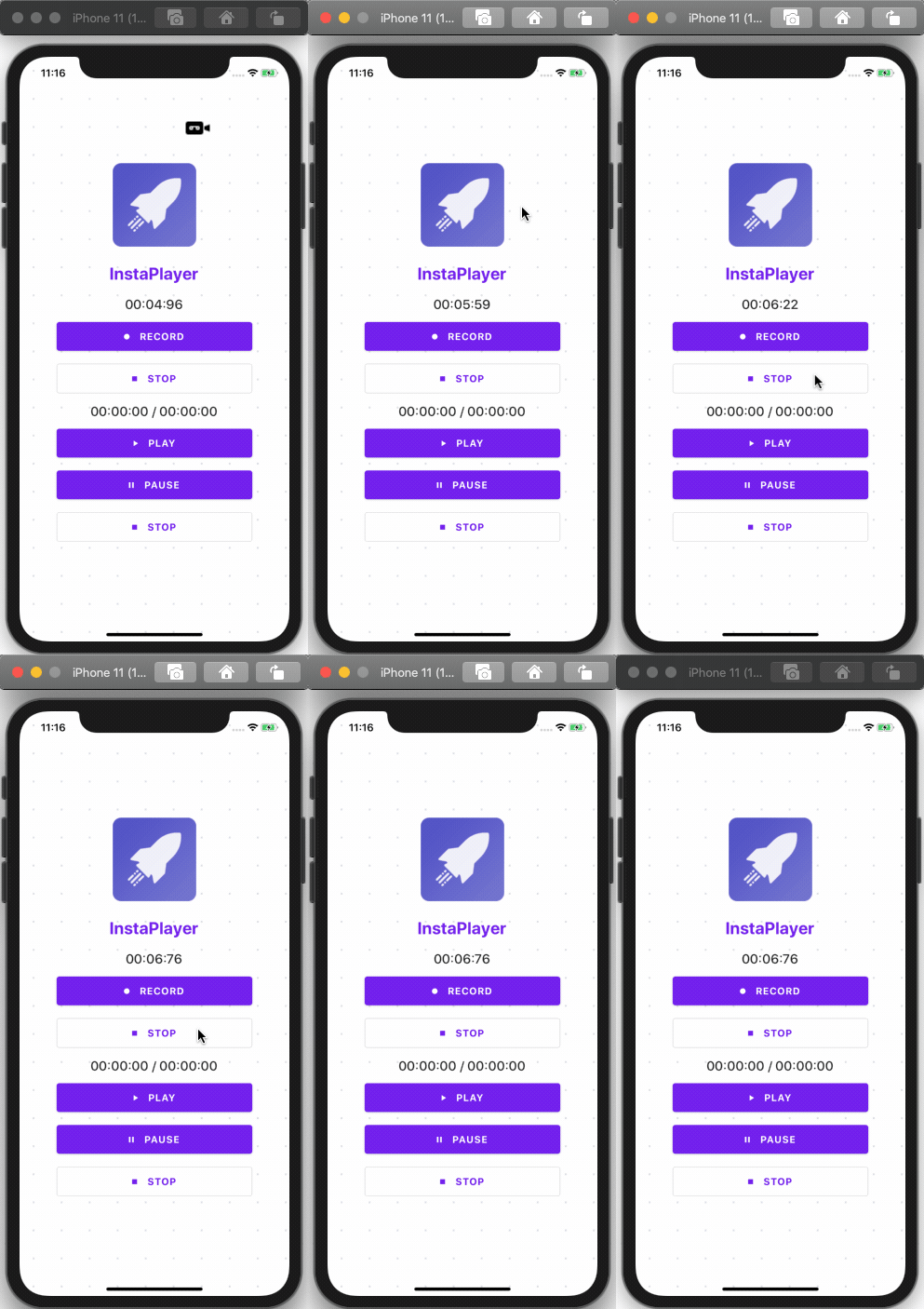
Hence, the timer stops as we tap on the STOP button.
Audio Player to Play Audio in React Native
Since we are done with the recording and stop recording features, we now have an audio file to play. In order to implement the play feature, we need to call the startPlayer method and pass the path to the file that we’ve just recorded. Then, we need to set the volume. Once the audio plays, we need to set a callback function to stop playing when the play counter indicator reaches the completion point. We also need to add current playtime to the state to display the counter properly in the UI. The implementation for this is provided in the code snippet below:
onStartPlay = async (e) => {
  console.log("onStartPlay");
  const path = "hello.m4a";
  const msg = await this.audioRecorderPlayer.startPlayer(path);
  this.audioRecorderPlayer.setVolume(1.0);
  console.log(msg);
  this.audioRecorderPlayer.addPlayBackListener((e) => {
    if (e.current_position === e.duration) {
      console.log("finished");
      this.audioRecorderPlayer.stopPlayer();
    }
    this.setState({
      currentPositionSec: e.current_position,
      currentDurationSec: e.duration,
      playTime: this.audioRecorderPlayer.mmssss(Math.floor(e.current_position)),
      duration: this.audioRecorderPlayer.mmssss(Math.floor(e.duration)),
    });
  });
};
Hence, we will get the result as shown in the demo screenshot below:
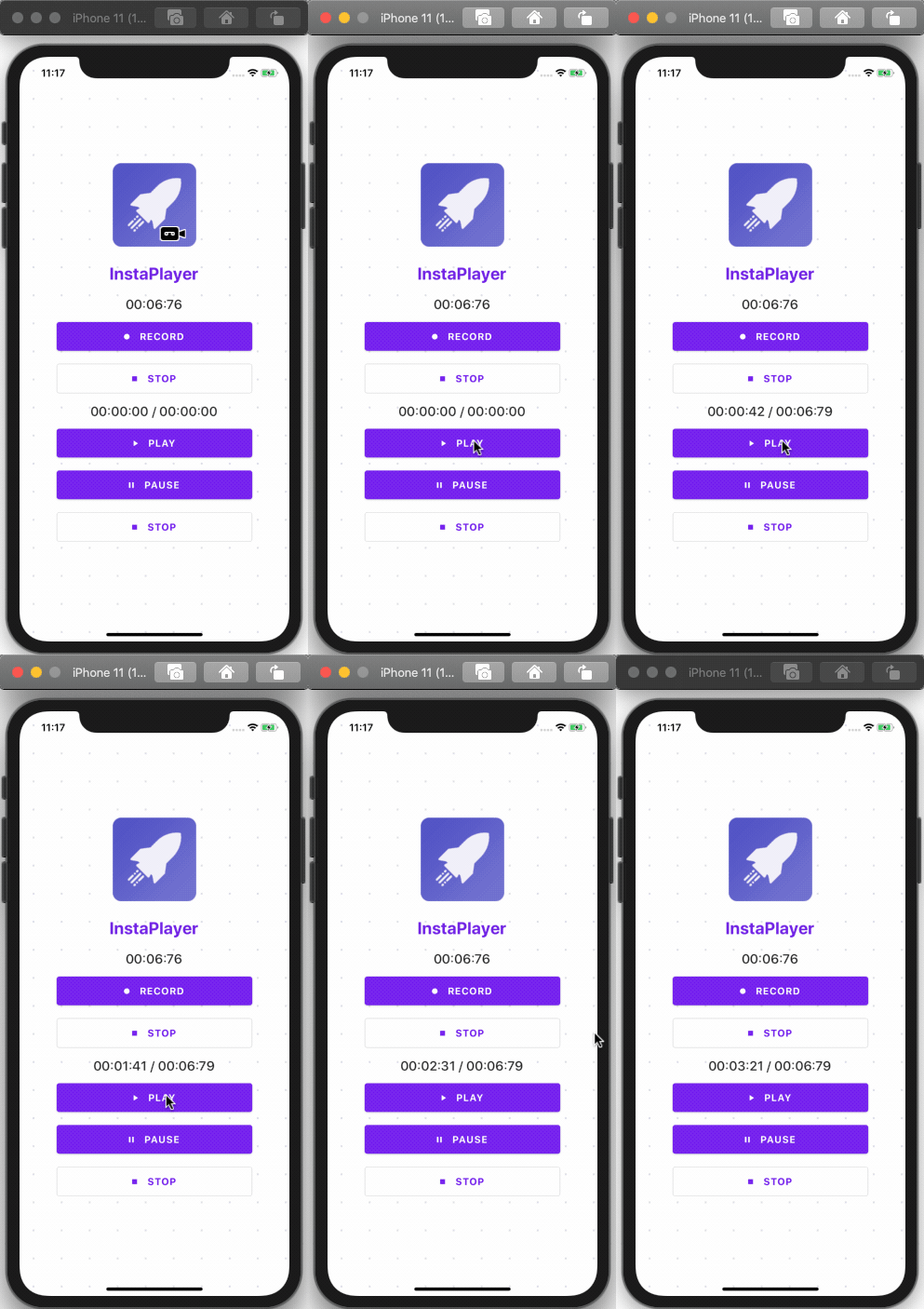
As you can see, when we tap the PLAY button, the audio starts playing.
Pausing The Audio Player
Implementing a pause feature is simple. We just need to call the pausePlayer method, when PAUSE button is pressed. We can do this by using the following piece of code:
onPausePlay = async (e) => {
  await this.audioRecorderPlayer.pausePlayer();
};
Hence, we will get the result as shown in the demo screenshot below:
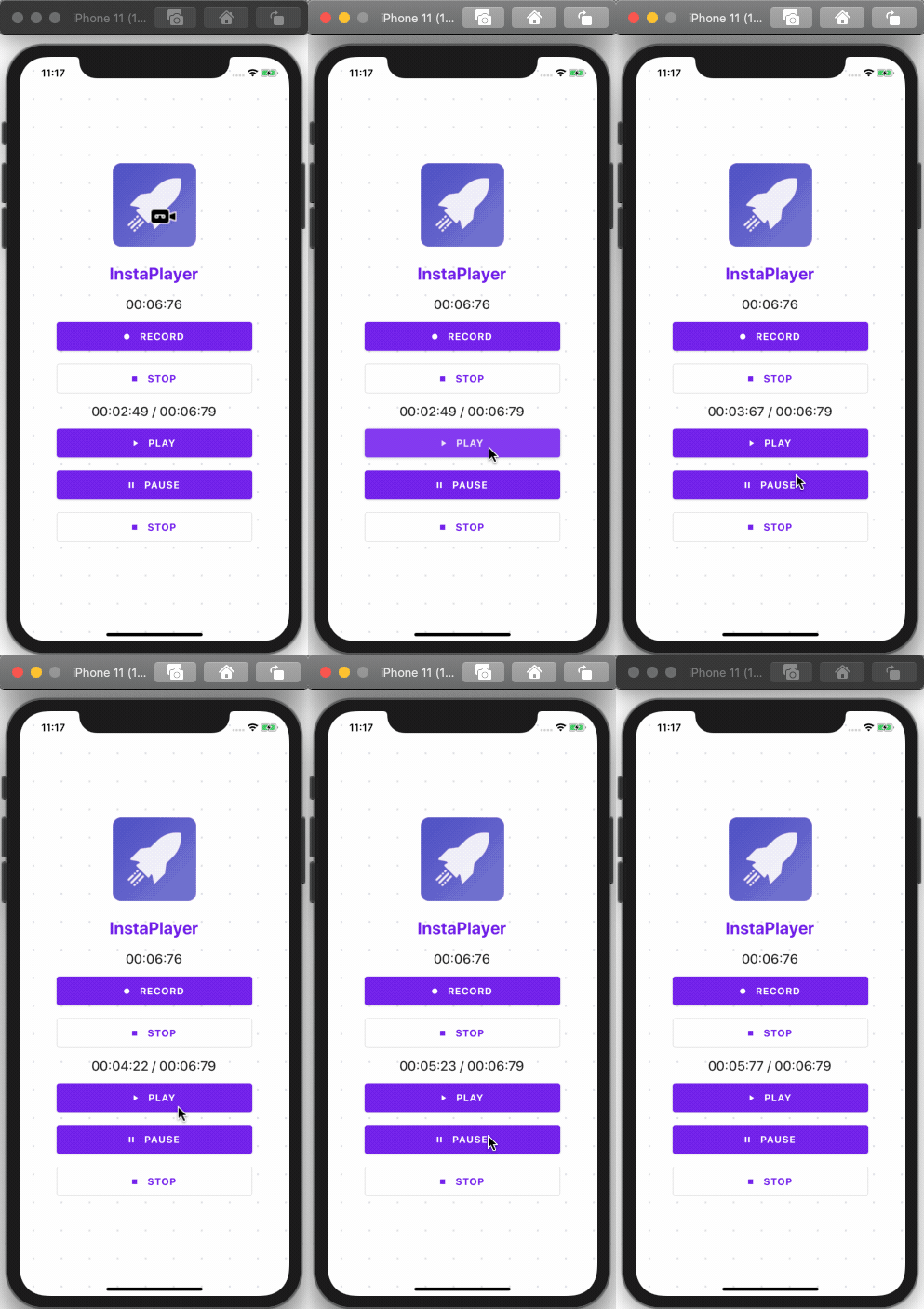
Here, we can see that when we hit the PAUSE button the player pauses, and when we hit the Play button again it starts to play from the same point where we stopped it.
Stopping the Audio Player in React Native
In order to stop the player, we need to call the stopPlayer method. Then, we need to remove the playback data by calling removePlayBackListener method and reset the counter to zero again. The feature to trigger the stop action is provided as a function in the code snippet below:
onStopPlay = async (e) => {
  console.log("onStopPlay");
  this.audioRecorderPlayer.stopPlayer();
  this.audioRecorderPlayer.removePlayBackListener();
};
Hence, we will get the result as shown in the screenshot below:
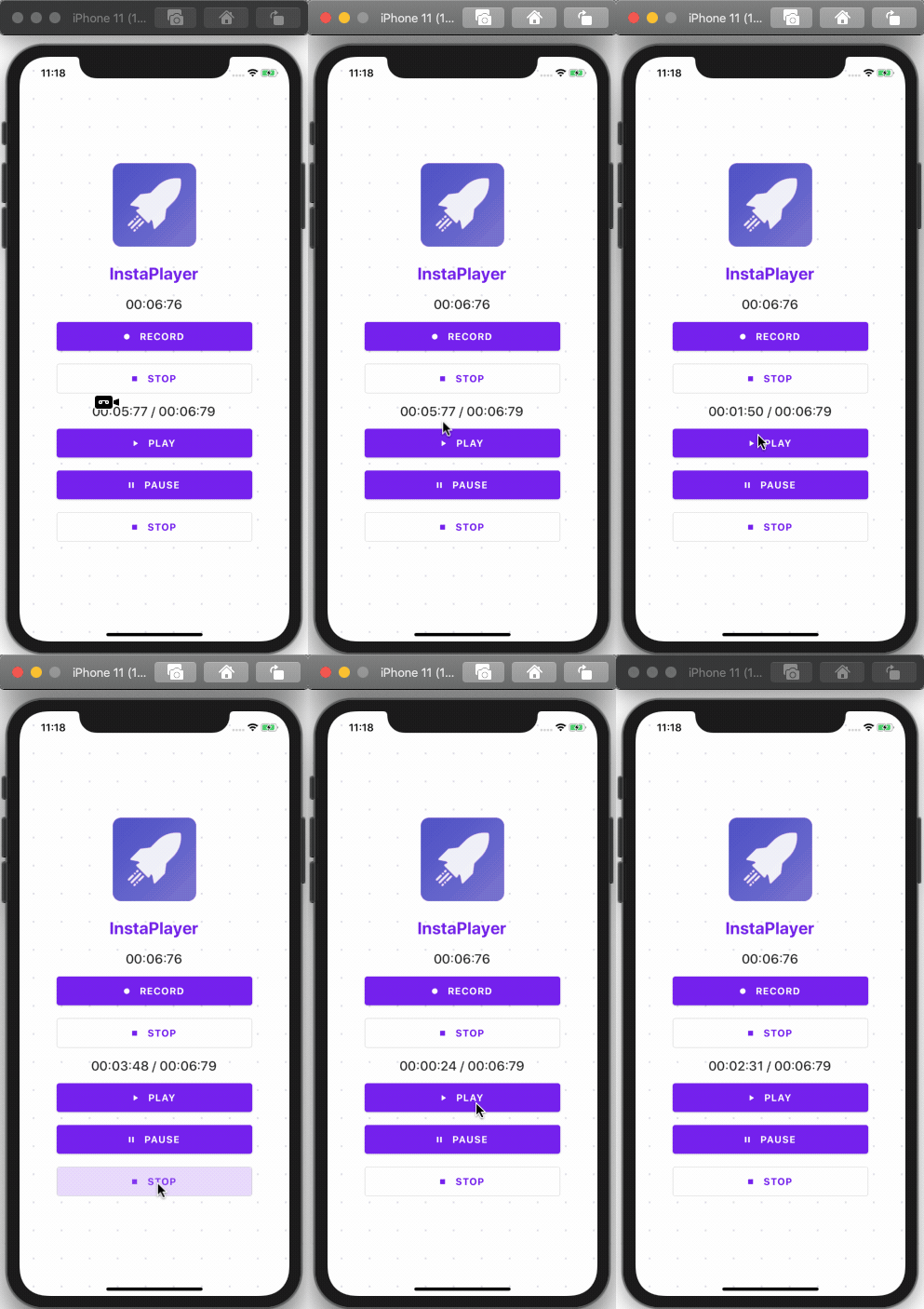
Here, we can see that when we hit the STOP button the player stops and after hitting the PLAY button, the counter starts from this beginning. Finally, we have successfully implemented the audio recorder and player in the React Native application along with an intuitive UI layout. Hopefully now you know how to record audio in React Native and how to play the recorded audio files into a React Native audio player.
Conclusion
It has been an interesting feature to get our hands on. Implementing an audio recorder and player in a React Native may sound difficult but in fact, it’s fairly simple thanks to a powerful library. This tutorial provides detailed guidance on each step so that it becomes even simpler. The package that we used for recording and playing audio is pretty robust and easy to implement as well. Make sure to get your hands dirty with it. We can do tons of things in React Native utilizing this feature (think Spotify clone or Podcasts clone app). At Instamobile, we are using audio recording and playing in all of the apps that have a chat feature, such as our chat app template.
Later Edit:
Additionally, you can learn how to build the Spotify-like music player, to launch your fully functional React Native Music Player, by following our tutorial.