101 posts tagged with "Mobile Development"

Our Mobile Development archive contains a wealth of information, tutorials, and articles on various aspects of mobile app development, including different platforms and languages.

View All Tags

React Native App Ideas for Beginners

· 6 min read
Flutter Developer

react native app ideas beginners

The best React Native app ideas for beginners are small enough to finish, but complete enough to teach real mobile development. A good beginner project should include screens, navigation, lists, forms, data, error states, and a build you can install on a device.

This guide gives you practical project ideas and explains what each one teaches.

How To Use AWS Amplify in Flutter

· 12 min read
Full Stack Developer

For front-end web and mobile developers, AWS Amplify is a suite of tools and services that can be used together or separately to enable them to create scalable full-stack apps on AWS. App backends and connections can be configured in minutes with Amplify, static web applications can be deployed quickly and simply managed outside of the AWS interface with a few clicks.

Understanding Flutter Navigation and Routing

· 5 min read
Full Stack Developer

Flutter’s new Navigator and Router API is described in detail in this post. These new functionalities may have been referred to as the Router widget in Flutter’s open design documents. Using these APIs, you’ll be able to fine-tune control over your app’s displays, and you’ll learn how to parse routes. These new APIs don’t break anything; they merely add a new declarative API to the list of available options. If you wanted to relocate or delete a page from the bottom of a stack, Navigator 2.0 made it much easier. It’s OK if you’re content with how the Navigator works right now, so long as you don’t mind the changes. Using the Router, the underlying platform’s routes may be handled and the relevant pages are shown. The Router is set up to show the relevant page based on the browser URL in this article.

React Native Charts: Data Visualization

· 9 min read
Full Stack Developer

react native charts

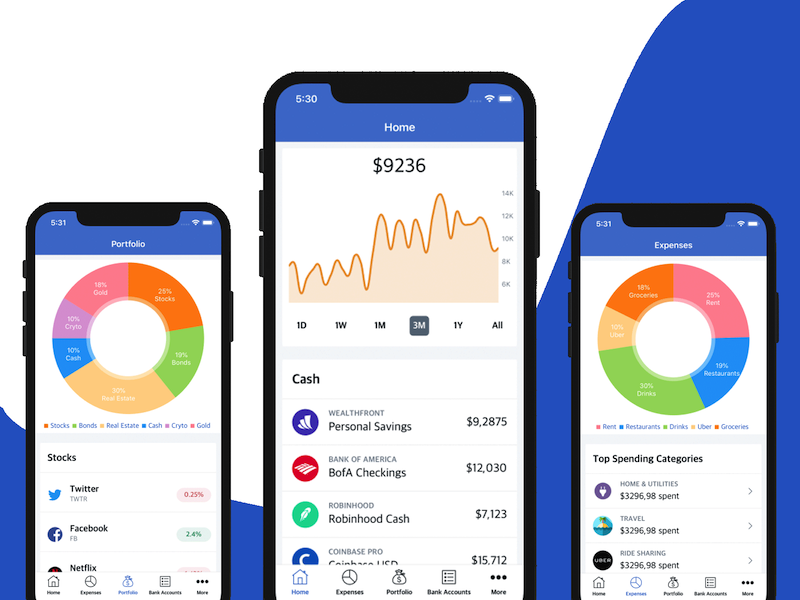
In this tutorial, you will learn how to implement React Native Charts in your mobile app projects. In order to add chart visuals to a mobile app, we are going to use the react-native-chart-kit library, which provides us with the ability to add stunning charts to our React native apps. With this charts library, you can create line charts, Bezier line charts, Pie charts, Bar charts, Progress charts, and Contribution graphs. The library provides a Charts API that is easy to use, responsive, easy to plug-in and highly customizable.

5 Best Free iOS App Templates of 2026

· 5 min read
Full Stack Developer

Building a mobile app used to be a difficult job and only well-versed mobile developers had the ability to do it. But as the mobile development industry evolved over the last few years, the bar for creating an iOS app lowered, and so did the price. Both entrepreneurs and beginners in programming can easily create their own iOS apps now, with minimum coding skills, thanks to a ton of app templates that have emerged as the mobile industry took off. In this article, we are listing the best free iOS app templates, which you can freely use to create your own app in just a few minutes and with no financial investment. These app templates are also a great way to learn Swift or Objective-C or to just get your hands dirty with the iOS development process.

Building an Image Picker in Flutter

· 6 min read
Full Stack Developer

Any app worth it’s salt will almost certainly have at least one, if not more than one, image picker. The image picker feature is included in a variety of major applications, including Facebook, Twitter, Instagram, and WhatsApp, amongst others. This feature allows users to choose files from their own device to use as a profile picture or to share with their friends. Setting an avatar for the user profile is by far the most typical function for an image picker to perform in a mobile application. In this guide, we’ll walk you through the process of developing an image picker using Flutter. An example Flutter app will be developed in which the user may either choose a picture from the gallery or snap a photo using the device’s camera.

React Native GraphQL with Apollo Client

· 10 min read
Full Stack Developer

React Native GraphQL Apollo

Are you interested in building a React Native app that uses GraphQL API endpoints? Then you should read this tutorial. You are going to learn how to leverage Apollo to build a client-side GraphQL application with React Native and Expo. Apollo has an entire ecosystem to build GraphQL applications. You can use it to develop client-side and server-side apps separately. Apollo has more features and support than its open-source competitors in GraphQL for JavaScript world.

Best Features Any Ecommerce Mobile App Must Have in 2025

· 9 min read
Full Stack Developer

With the evolution of internet and technology, online shopping on native e-commerce apps has exploded in recent years. Mobile apps have brought a deep connection between businesses and their customers. Shoppers are thrilled with using mobile apps to satisfy their shopping needs. In this article, we are listing the best features that any ecommerce mobile app should have, in order to provide the best possible user experience. If you're looking to take your business to the next level, by tapping into the huge mobile shopping market, you must build your own mobile app for shopping. You'll enable your customers to order your products from everywhere: their living room, a park, a beach, etc. You get the idea. You place your store into their pockets.

React Native with AWS Amplify

· 22 min read
Full Stack Developer

aws amplify react-native

AWS Amplify is a framework that lets you develop a web or mobile application quickly, by accessing the backend cloud services offered by AWS. In this article, we are going to learn how to use AWS Amplify in React Native by building a fully functional login and registration flow. This tutorial is going to take a look at one of the most important features of a mobile application – the authentication. You know the scenario. You need to store some amount of user information (credentials) for them to get back and re-use the application rather than creating a new account. Please make sure to have an AWS account before you begin this tutorial. If you don’t, please sign up for one.